
Supplier document management without the spreadsheet.
Certificates, audits, insurance, specs — supplier paperwork expires quietly and gaps surface at the worst moment. DOSSA reads every document with AI, files it to the right supplier, checks it against the requirements you define, and shows you exactly what's missing or about to lapse.
Request accessAI reads and files every document.
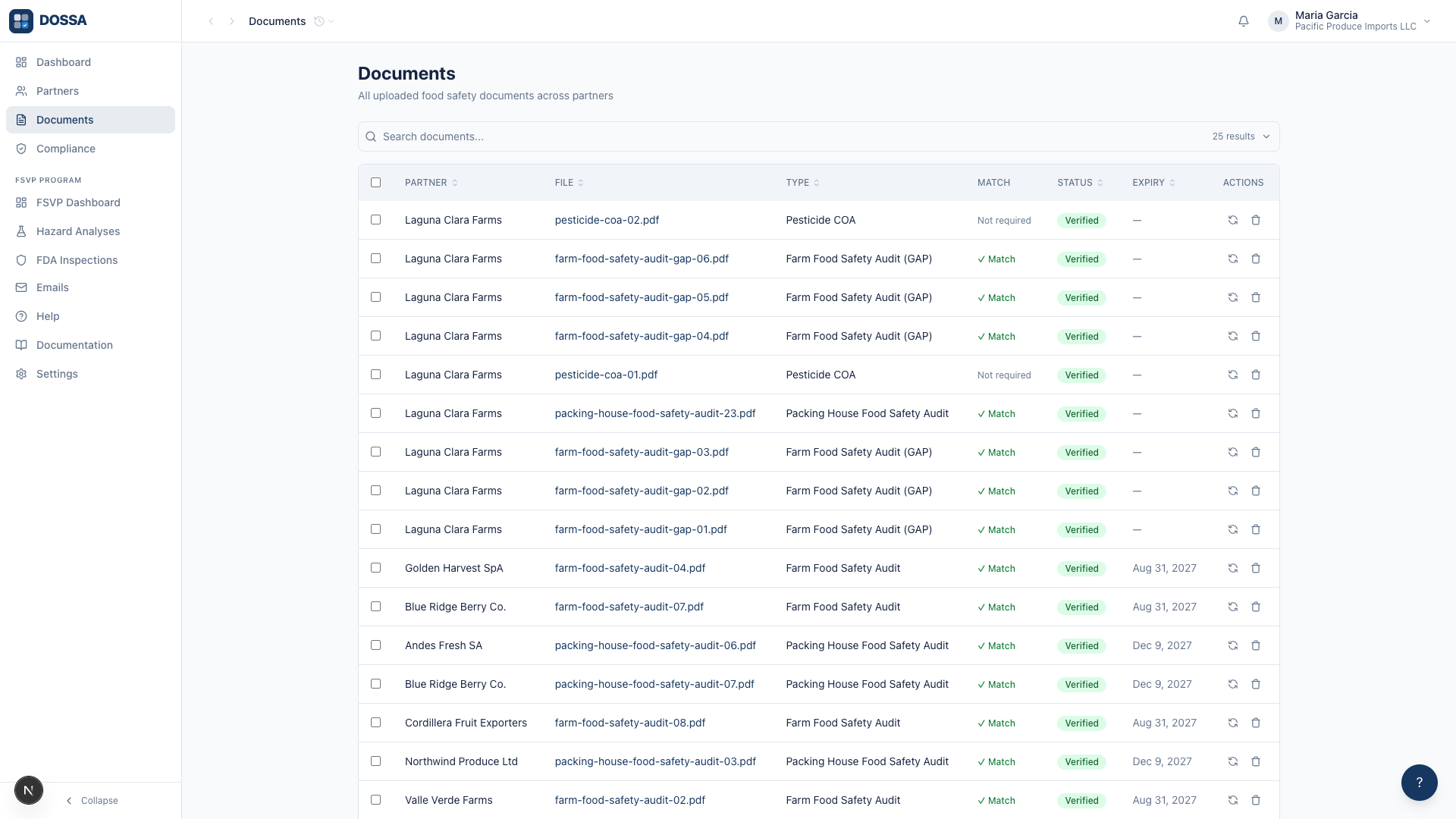
Upload a PDF, a photo of a certificate, or a whole folder — DOSSA's AI works out what each document is, which supplier it belongs to, and when it expires. A person then reviews and verifies it, so 'verified' always means a human accepted it.
- Reads certificates, audits, COAs, insurance, specs — including messy scans
- Extracts the expiry date and tracks it from that moment on
- A failed read is visible and retryable, never a silent spinner
- Review and verification stay a human act, with a record of who and when
Requirements that match how you actually buy.
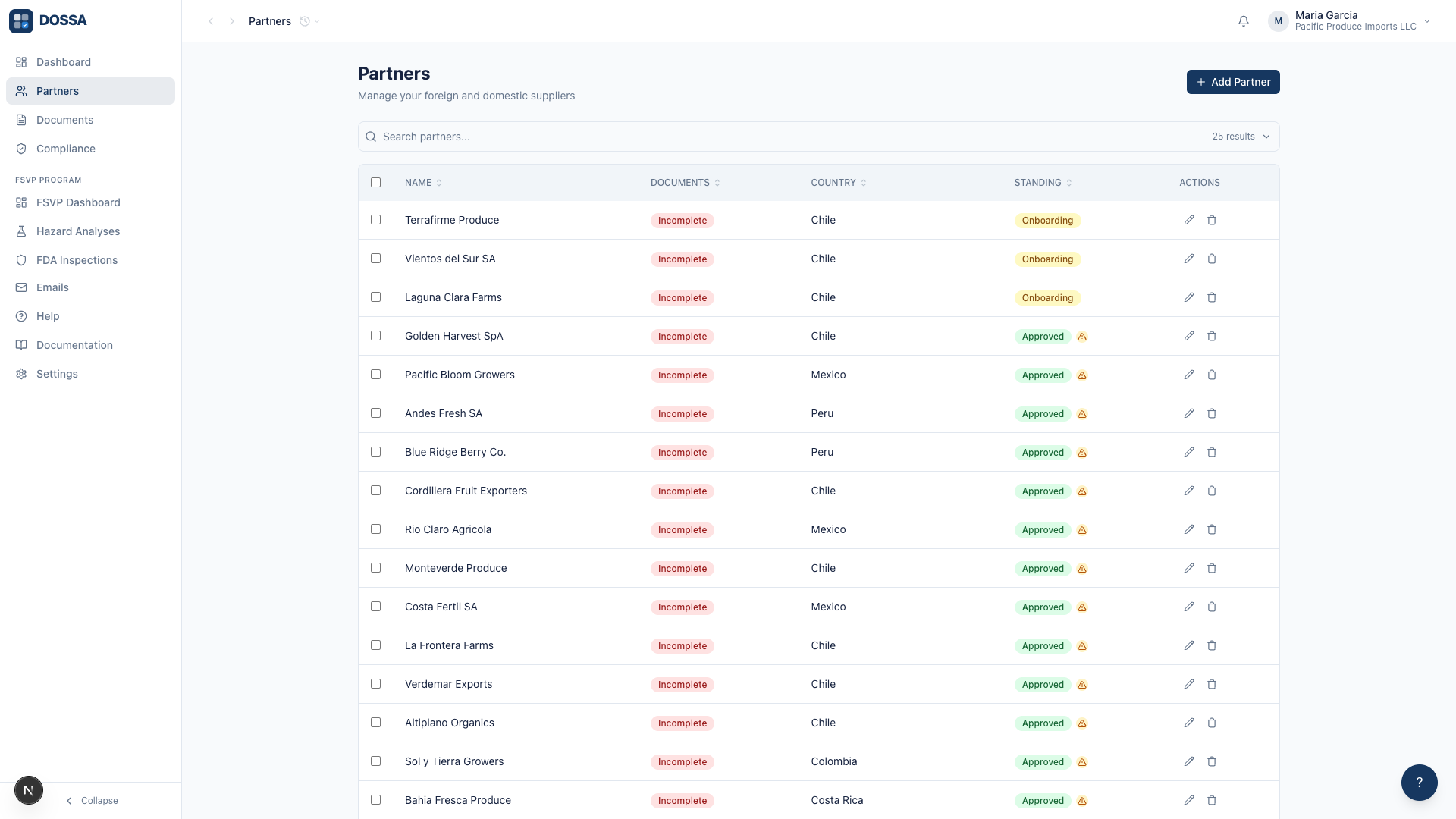
Define which documents must stay current for everyone, for a group of suppliers, or for a single one — and separately for everything they supply or just one product. DOSSA evaluates every requirement continuously and keeps the gap list current.
- Scope by supplier, supplier group, or individual partner
- Scope by product or product group on the same requirement
- Expiring documents flagged ahead of time; replaced ones leave the queue
- A gap list that can actually reach zero
One view of the whole program.
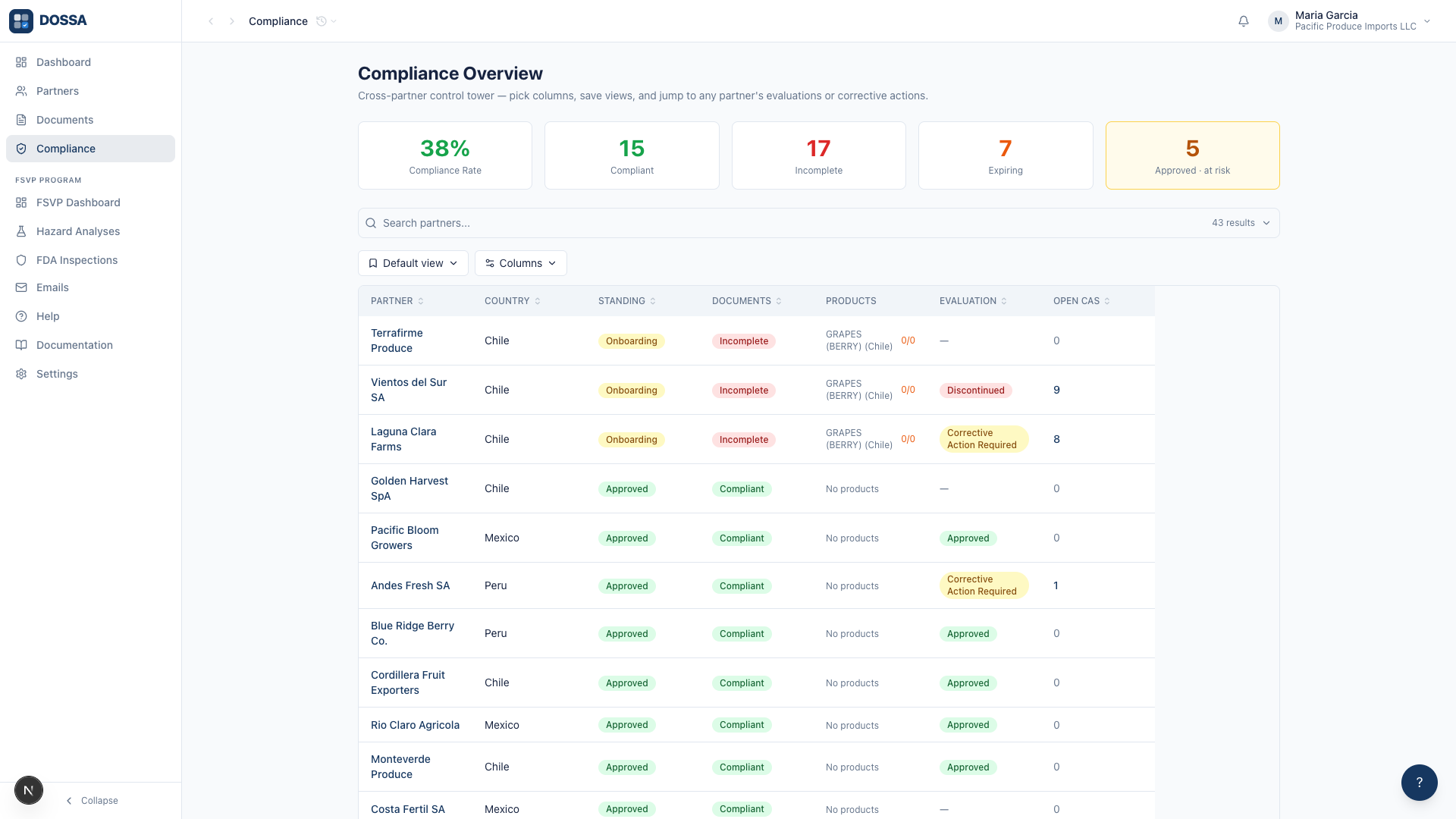
The compliance view shows every supplier against every requirement — current, expiring, missing — so the state of your program is a glance, not an afternoon of reconciling folders against a spreadsheet.
- Per-requirement columns across all suppliers
- Filters and saved views for how your team works
- Exportable records when an auditor or customer asks
Frequently asked questions
What file types can DOSSA read?
PDFs, images (photos and scans), and Office documents up to 25 MB each. The AI handles non-standard formats and messy scans; anything it can't place lands in a review queue instead of disappearing.
How does expiry tracking work?
The AI extracts the expiry date when a document is filed, and DOSSA computes validity from then on — current, expiring soon, or expired. When a new certificate replaces an old one, the old one is marked superseded and leaves your to-do list.
Can suppliers send documents in themselves?
Yes — suppliers can upload through a secure portal, and DOSSA reads and files what arrives. Your team reviews and verifies everything before it counts toward compliance.
Is DOSSA only for food companies?
No. The document-requirements foundation works for any business that runs on supplier paperwork — food, property management, construction, staffing, and more. Food importers can add the FSVP module on top.
See if DOSSA is a fit.
Tell us about your operation and we'll show you exactly how DOSSA fits in.
No commitment. Reply within one business day.